
PRODUCT / MACE v 1.3.1

MACE - GENERATIVE DIFFUSION SAMPLER

Generative Diffusion Sampler

Generate entirely new sounds from scratch using text prompts and custom-trained AI models — right inside your DAW.

VST3 AU WIN 10+ / macOS 15+

$79.99

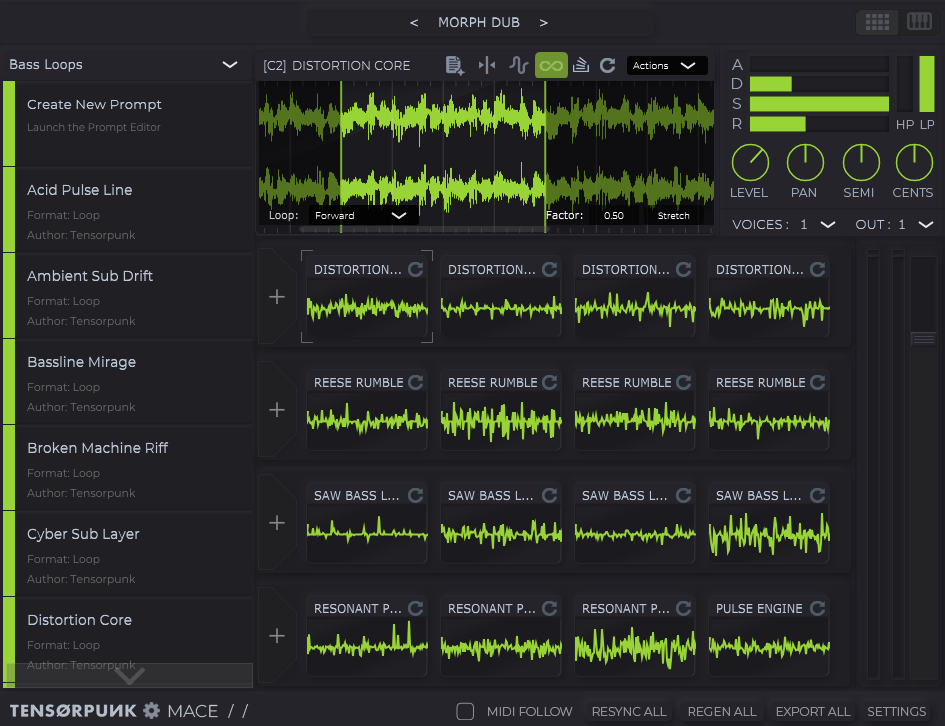
MACE — Generative Diffusion Sampler interface
PROMPT
"808 bass one-shot, glitch, distortion, bitcrush"
TEXT ENCODER
DIFFUSION + CONDITIONING
AUDIO DECODER
BPM-SYNCED OUTPUT
SAMPLES / GENERATED BY MACE

No external processing.

Every clip below was generated entirely inside MACE from the prompt shown.

CAPABILITIES / MACE

What MACE does.

A deeper look at the engine, the workflow, and what it unlocks inside your DAW.

01 / DIFFUSION

Diffusion Sound Engine

Cutting-edge AI diffusion models. Stereo audio up to 11 seconds. Powered by Stability AI™ open + ethically sourced models. No cloud, no API keys, no telemetry. The diffusion approach generates audio with complex harmonic texture that samplers and synths simply cannot produce.
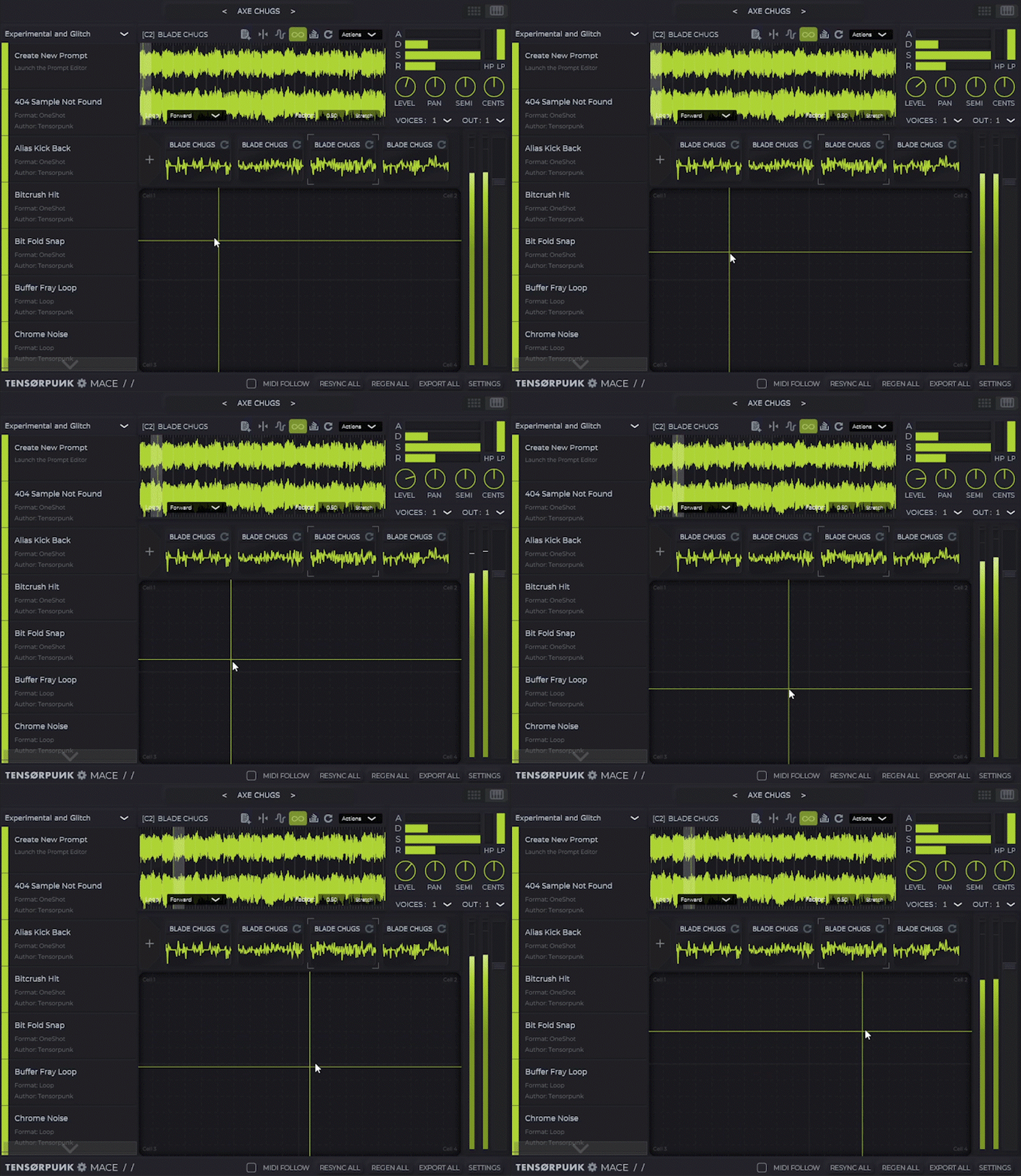
Diffusion process — noise resolving into structured audio
02 / TEXT-TO-AUDIO

Text-to-audio Sound Design

Describe the sound. MACE generates it locally. From clean leads to broken textures, the prompt is the instrument. Save what you make as presets, share prompts, build a library that lives with your project. No preset browsing, no synthesis knowledge required.

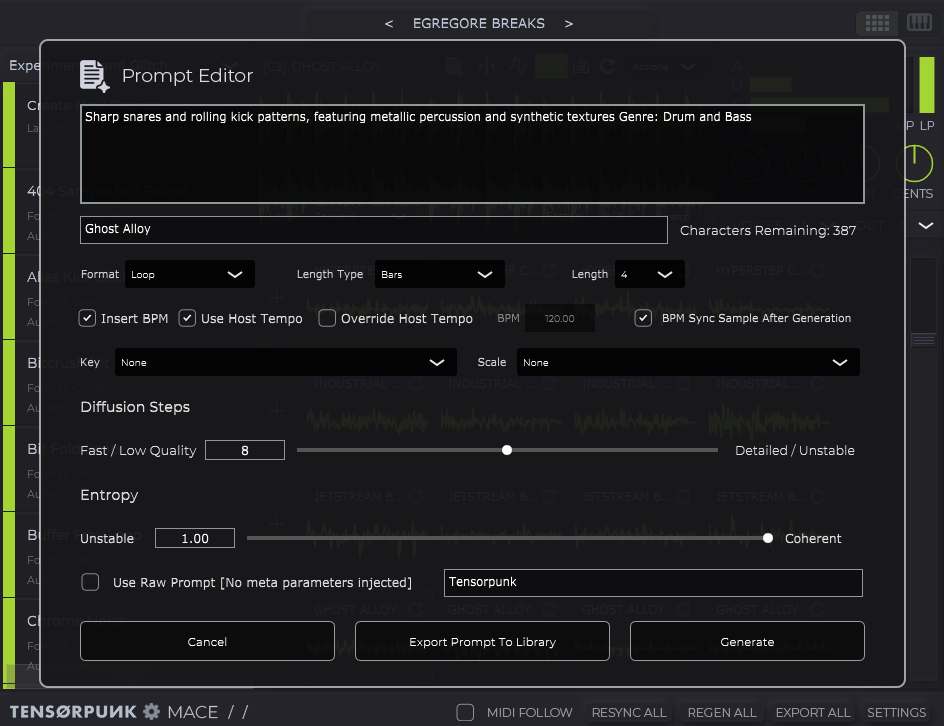
MACE built-in prompt editor
03 / PROMPT EDITOR

Built-in Prompt Editor

Customize prompts with format, BPM, length, and tags. Save to your library or load from curated presets. Negative prompt support lets you steer the model away from unwanted sonic territory. Shared memory keeps your prompt palette one click away.

04 / 16-CELL GRID

16-Cell Generative Grid

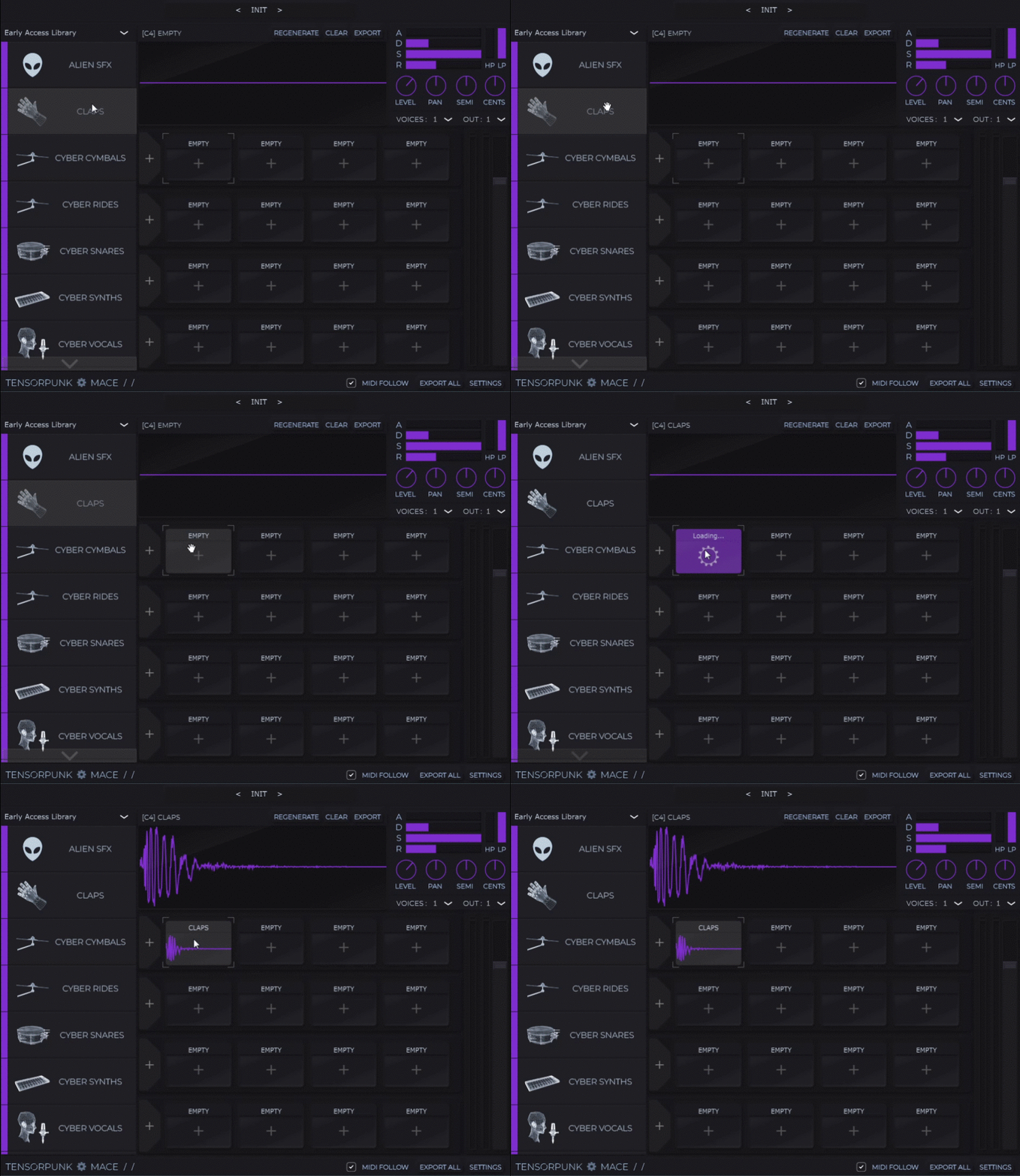
Modular cells you can load, generate, edit, and trigger independently. Shuffle, reseed, rearrange, lock cells in place. Generate by cell, by row, or all at once. The grid maps directly to MIDI — fire generation from your controller or DAW automation.

MACE 16-cell grid — cell playback (cyan) MACE 16-cell grid — drag-and-drop sample export (purple)
05 / DRAG & MIDI

Drag-and-drop, MIDI-triggered

Drop generated audio straight into your DAW timeline. Trigger generations via MIDI for performance and live workflows. Beat-sync keeps everything aligned with your project tempo.

06 / LOCAL-FIRST

GPU acceleration, no cloud

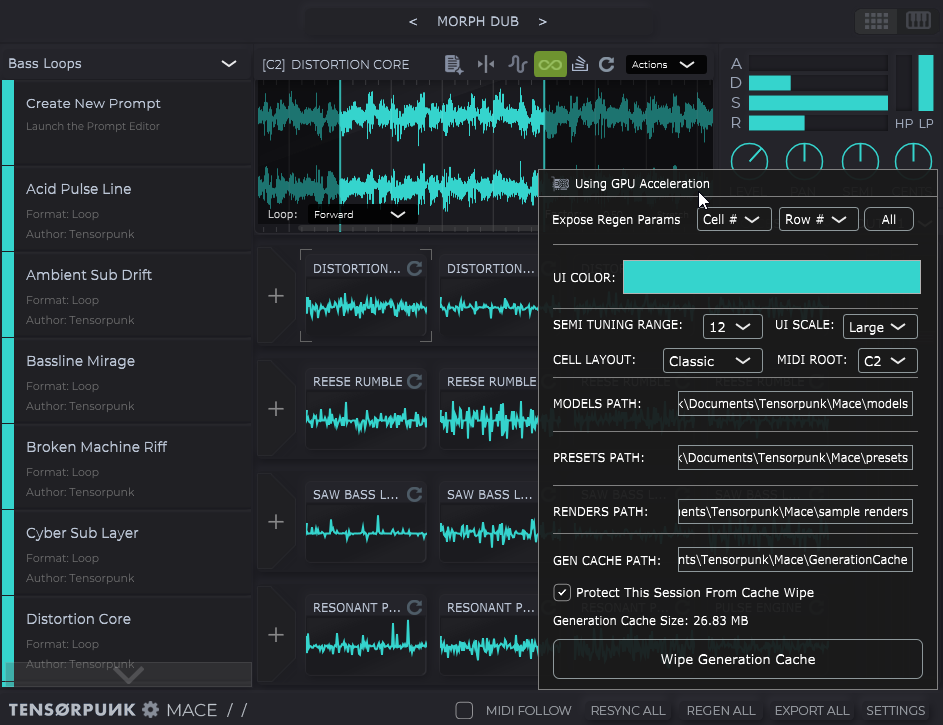
DirectML on Windows (NVIDIA / AMD / Intel), CoreML on Apple Silicon, CPU fallback. No driver setup. No accounts. No internet required after activation. Your sounds, your machine, your prompts.

MACE — full plugin interface
DIAGNOSTICS / SYSTEM

Requirements & compatibility

HARDWARE
  • OS Windows 10+  /  macOS 15+
  • RAM 16 GB minimum  (32–64 GB recommended)
  • GPU NVIDIA CUDA, AMD ROCm, Intel DirectML, Apple Silicon
  • CPU x86-64 or Apple Silicon (M1 / M2 / M3)
  • DISK ~4 GB installed (base model library)
  • NET Internet required for one-time license activation only
DAW COMPATIBILITY
  • Ableton Live
  • FL Studio
  • Bitwig Studio
  • Reaper
  • Studio One
  • Cubase / Nuendo
  • Logic Pro (AU)

Requires VST3 host. AU on macOS only. Logic Pro 10.7.5+ recommended for AU3 support.

PACKAGE / CONTENTS

What's in the box

BOX CONTENTS
  • VST3 + AU
  • All future version updates, free forever
  • Curated core prompt library and legacy GAN models for quick one-shots and old-school neural sounds
  • Commercial-use license — sounds you generate are yours to release
  • Drag-and-drop export & MIDI-triggerable generation
  • One-time license activation (no subscription, no recurring fees)
Get MACE → One-time purchase  ·  No subscription
FAQ

Questions people actually ask.

What DAW does MACE run in? +
Any DAW that supports VST3 (Ableton Live, FL Studio, Bitwig, Reaper, Studio One, Cubase, etc.) or AU (Logic Pro).
What hardware do I need? +
Windows 10+ or macOS 15+, 16GB RAM minimum (32–64GB recommended), and a reasonably modern GPU. NVIDIA, AMD, Intel iGPU, and Apple Silicon all accelerate via DirectML or CoreML. CPU fallback works but is slow.
Do I need an internet connection? +
No. MACE generates everything locally on your GPU. No cloud, no account, no latency. You need internet once to activate your license.
What models come included? +
A curated library of general-purpose audio models ships in the box, including kicks, textures, pads, leads, and ambient material. More models are added over time and delivered through updates.
Can I use MACE commercially? +
Yes. One-time purchase includes a commercial-use license for audio generated with MACE. The plugin itself is non-transferable; sounds made with it are yours.
What if it doesn't run on my computer? +
You get a refund. Every setup is different, so email [email protected] first: we'll troubleshoot with you and confirm the problem is on our end. If we can't get it running on your system, we refund your purchase.
How often does MACE get updated? +
Tensorpunk is a one-person operation, so updates ship when they ship — but they ship. Existing license owners get every update free. See the dev log for current status.